
Work Smarter, Not Harder: How Small Teams Can Automate Repetitive Admin Work Without Coding

What If Your Team Could Get Hours Back Every Week?
Your team is busy.
Emails need responses. Clients need follow-ups. Meetings need to be scheduled. Spreadsheets need updating. Reports need to be prepared. Information needs to be copied from one system to another.
And somehow, after all that work, there is still more to do.
But here’s the question:
Does your team really need to do all of this manually?
Many small businesses and nonprofits lose valuable hours every week handling repetitive administrative tasks that technology can help automate.
The problem isn’t always that your employees aren’t productive.
Sometimes, the workflow itself is the problem.
That’s where workflow automation for small teams comes in.
What Is Workflow Automation?
Workflow automation means using technology to automatically complete repetitive steps in a business process.
Instead of an employee having to remember every step, one action can trigger the next.
For example:
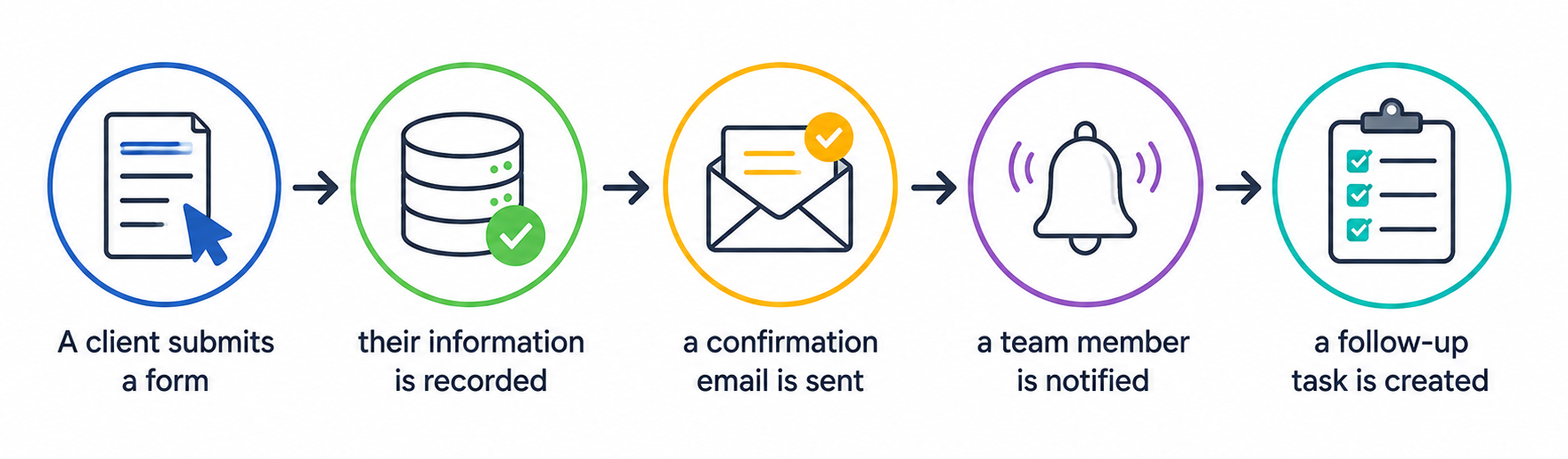
A client submits a form → their information is recorded → a confirmation email is sent → a team member is notified → a follow-up task is created.
No copying and pasting.
No repeatedly checking whether someone responded.
No unnecessary manual steps.
And you don’t necessarily need to be a programmer to make this happen. Many modern digital and AI tools allow businesses to create automated workflows using simple visual processes.
The key is knowing which tasks should be automated.
Why Manual Admin Work Is Holding Teams Back
A five-minute task doesn’t sound expensive.
But what happens when that five-minute task happens 20 times a day?
Now multiply it across a team.
Small amounts of repetitive work can quickly become hours of lost productivity.
Manual processes can also create other problems:
- Information gets entered incorrectly.
- Follow-ups are forgotten.
- Employees become frustrated.
- Reports take longer to prepare.
- Customers wait longer for responses.
- Teams spend less time on important work.
Automation doesn’t simply save time.
It can help your team use its time better.
3 Admin Workflows Your Team Should Automate
You don’t need to automate everything.
Start with the processes that are repetitive, predictable, and time-consuming.
1. Client Onboarding and Intake
Think about what happens when a new client contacts your organization.
Someone may need to collect information, send an email, create a client record, organize documents, notify another employee, and schedule a follow-up.
That’s a lot of small tasks.
A simple automated workflow could look like this:
Client completes a form → information is captured → confirmation is sent → documents are organized → team member is notified → onboarding task is created.
This creates a smoother experience for the client while reducing administrative work for your team.
Key takeaway:
Automate the process, not the relationship.
Your team can still provide the personal attention clients need while technology handles repetitive steps in the background.
2. Meeting Notes and Task Management
Meetings are another area where teams can lose time.
You have a productive discussion, make several decisions, and agree on tasks.
Then the meeting ends.
Someone has to remember everything.
AI tools can help turn meeting notes or transcripts into organized information, such as summaries, action items, and follow-up tasks.
A workflow might look like:
Meeting → notes/transcript → important points identified → action items organized → tasks assigned → follow-up reminders created.
The technology handles the organization.
Your team focuses on completing the work.
Key takeaway:
Don’t let important decisions disappear inside meeting notes. Turn conversations into action.
3. Reporting and Data Entry
Data entry is one of the most obvious areas for automation.
Imagine collecting information through forms, emails, spreadsheets, or other platforms.
Without automation, someone may have to manually transfer that information from one place to another.
That’s repetitive work—and repetitive work is where mistakes can happen.
Automation can help move information between connected systems and update reports or dashboards with less manual effort.
Instead of spending hours transferring information, employees can spend that time reviewing the information and making decisions.
Key takeaway:
Let technology move the data so your team can focus on what the data means.
AI and Automation Work Better Together
Traditional automation works well when a process follows clear rules.
But what happens when the information isn’t neatly organized?
That’s where AI-powered workflow automation can become useful.
AI can help summarize information, organize unstructured content, identify action items, classify information, and assist with repetitive knowledge-based tasks.
For example, instead of asking an employee to read every meeting transcript and manually create a task list, AI can help identify the important action items.
The employee can then review the results and make the final decision.
Automation handles the repetitive work. People provide the judgment.
That’s a much more practical way to think about AI in the workplace.
You Don’t Need to Be a Tech Expert
One reason small organizations hesitate to automate is the belief that automation is complicated.
It doesn’t have to be.
You can start with one simple question:
“What does my team do repeatedly that takes time but doesn’t require much decision-making?”
Look at your daily operations.
Are employees constantly:
- Copying information between systems?
- Sending the same emails?
- Creating the same reports?
- Entering the same data?
- Sending reminders?
- Creating repetitive tasks?
Those are potential automation opportunities.
Build an Automation-Friendly Team
Technology is only part of the solution.
Your employees also need to understand how to use it.
That’s why employee training and upskilling should be part of your automation strategy.
Teach your team how to identify repetitive tasks, understand simple workflows, use AI responsibly, review automated results, and protect important information.
When employees understand automation, they become more efficient—and often more engaged.
They can spend less time asking:
“How can I finish this task faster?”
And start asking:
“How can we improve the way this work gets done?”
That change in thinking can have a powerful impact on an organization.
Start Small and Build From There
You don’t need to automate your entire business overnight.
Choose one workflow.
Map out the current process.
Identify the repetitive steps.
Choose the appropriate technology.
Test it.
Then improve it.
A simple framework is:
IDENTIFY → MAP → AUTOMATE → TEST → IMPROVE
Start small, learn from the results, and gradually expand.
The goal isn’t to automate for the sake of automation.
The goal is to create a workplace where technology removes unnecessary work and people have more time to create value.
Work Smarter. Give Your Team Time Back.
Your employees are valuable.
Their creativity, experience, communication, problem-solving, and judgment cannot simply be replaced by a workflow.
But they shouldn’t have to spend hours every week copying data, sending repetitive messages, or manually organizing information either.
Good automation doesn’t replace your people. It gives your people more time to do the work that matters.
At Atanga SkillBridge Group LLC, we help organizations explore practical technology, AI, workflow automation, and workforce development solutions designed around real business needs.
Whether you’re a small business, nonprofit, or growing team, you can start with one process and build from there.
Stop wasting time on repetitive work. Start building smarter workflows.
Visit atangaskillbridge.com and take the next step toward a more efficient, capable, and future-ready team.

Keep reading
More insights for your business.
 16 In Demand AI Skills Employers Look For in 2026
Artificial intelligence is no longer something only technology companies need to understand. Today, AI is becoming part of everyday work. Marketing teams use it…
16 In Demand AI Skills Employers Look For in 2026
Artificial intelligence is no longer something only technology companies need to understand. Today, AI is becoming part of everyday work. Marketing teams use it…
 How to Create an AI Policy for Your Small Business Without Making It Complicated
Artificial intelligence is quickly becoming part of everyday business. Small businesses are using AI to write emails, create marketing content, summarize documents, analyze information,…
How to Create an AI Policy for Your Small Business Without Making It Complicated
Artificial intelligence is quickly becoming part of everyday business. Small businesses are using AI to write emails, create marketing content, summarize documents, analyze information,…
 AI Slop at Work: How to Use AI Without Losing Quality, Trust, or Human Judgment
AI can help us write faster, analyze information, organize ideas, create presentations, summarize documents, and complete many everyday tasks. But there is a problem…
AI Slop at Work: How to Use AI Without Losing Quality, Trust, or Human Judgment
AI can help us write faster, analyze information, organize ideas, create presentations, summarize documents, and complete many everyday tasks. But there is a problem…
Ready to build a stronger, grant-ready organization?
Book a free consultation and leave with a clear next step, whether we work together or not.