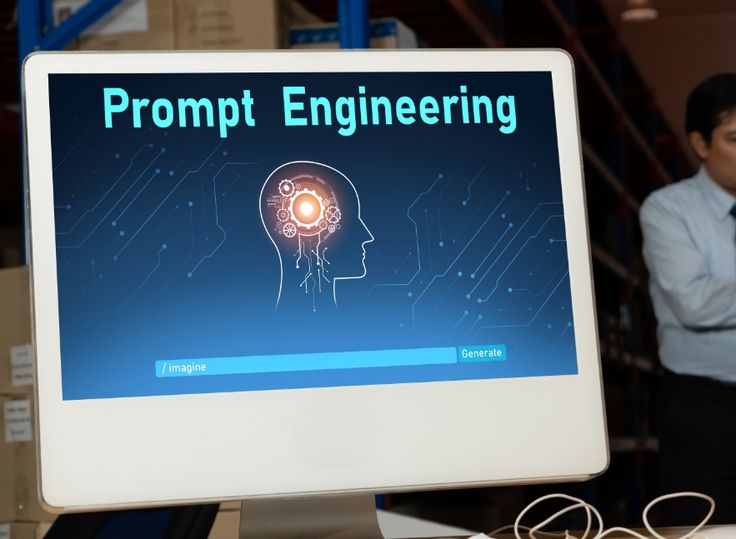
Prompt Engineering for Non Technical Managers Automating Daily Workflows
It’s Monday morning and you already have four emails to draft, a meeting summary to write for your board, a project brief to organize from a stack of handwritten notes, and a stack of resumes to review before noon. None of this is complicated work. It’s just a lot of it, and it eats hours you don’t have.
This is where prompt engineering for non technical managers comes in. You don’t need to learn a programming language or understand how AI models work under the hood. You just need to know how to ask AI tools for what you actually want, clearly enough that the first draft is usable instead of something you have to rewrite from scratch.
Managers who pick up this one skill tend to notice the difference fast. Emails get written in minutes instead of twenty. Meeting notes turn into clear action items instead of a wall of text nobody rereads. The goal isn’t to hand your job over to a chatbot. It’s to stop spending your limited time on work that AI can handle just as well, so you have more room for the decisions only you can make.
What Prompt Engineering Actually Means
Prompt engineering sounds technical, but the idea is simple. It’s the skill of giving an AI tool enough context, direction, and expectations that it produces something useful on the first or second try.
Think about how you’d hand a task to a new employee. If you said “write an email about the schedule change,” you’d probably get something vague and generic back. If you said “write a short, friendly email to the team explaining that Friday’s staff meeting moved to 2pm, and ask everyone to confirm they can make it,” you’d get something you could actually send.
AI tools work the same way. Vague instructions produce vague results. Specific instructions produce results you can use. That’s really all prompt engineering is: learning to be specific in a way that gives the AI what it needs.
The CARO Framework for Better Prompts
A simple way to remember what a good prompt needs is the CARO framework.
- C for Context. What’s the situation? Who is this for? What background does the AI need to know?
- A for Action. What exactly do you want done? Write, summarize, organize, rewrite, shorten?
- R for Role. What perspective should the AI take? A friendly team communicator, a formal grant writer, a project coordinator?
- O for Output and Tone. What should the final result look like, and how should it sound? A short paragraph, a bulleted list, a professional but warm tone?
Here’s the difference in practice. A vague prompt might say: “Write an email about our new hours.” A CARO based prompt says: “You are a friendly office manager writing to a team of 12 staff. Write a short, warm email announcing that office hours are changing from 9 to 5 to 8 to 4 starting next Monday. Keep it under 100 words and end with an invitation to ask questions.”
The second version gives the AI a real assignment. The first one leaves everything up to guesswork, and guesswork is exactly what produces the generic, robotic output that makes people give up on AI tools in the first place.
Three Practical Workflows You Can Start Using Today
Writing Professional Emails and Announcements
Most managers write the same kinds of emails over and over: schedule changes, policy updates, reminders, thank you notes to staff or donors. These are exactly the tasks where AI saves the most time, because the structure repeats even though the details change.
Try this prompt template:
“You are a [role, e.g., program director] writing to [audience]. Write a [tone, e.g., warm but professional] email announcing [what’s happening]. Keep it under [word count] and end with [next step, e.g., a request to confirm attendance].”
Fill in the brackets and you’ll usually get a draft worth sending with only small edits.
Summarizing Long Documents and Meeting Transcripts
If you’ve ever sat through a ninety minute meeting and then had to write up what actually got decided, you know how tedious that step is. AI tools are genuinely good at this kind of summarizing work, as long as you tell them exactly what to pull out.
A useful prompt looks like this:
“Summarize the meeting notes below. Identify the decisions that were made, the action items with who is responsible for each one, and any questions that were left unresolved. Use a bulleted list.”
Paste your notes or transcript underneath, and you’ll get a summary organized around what actually matters instead of a generic paragraph that repeats everything word for word.
Turning Rough Notes into a Project Brief
Sticky notes, half finished bullet points, ideas typed into your phone between meetings. AI is well suited for taking that kind of raw material and shaping it into something presentable.
Try:
“Turn the rough notes below into a one page project brief. Include a project summary, goals, timeline, and next steps. Organize it with clear headings so it’s easy to skim.”
This works particularly well when you’re preparing something for a board meeting or a funder update and you’re starting from scattered thoughts rather than a clean outline.
3 Simple Ways to Get Better Results From AI
Iterate instead of starting over. If the first draft isn’t quite right, don’t scrap it and rewrite the whole prompt from scratch. Just tell the AI what to fix: “make this shorter,” “make the tone more formal,” “add a line about the deadline.” Treat it like a conversation, not a one shot request.
Give examples when you can. If you have a past email or report you liked, paste a short excerpt and say “match this style.” AI tools are much better at matching an example than guessing at a description of tone.
Protect sensitive information. Don’t paste donor lists, employee social security numbers, financial account details, or anything confidential into a public AI tool. If you need to summarize something sensitive, remove or replace identifying details first, or use a tool your organization has approved for that kind of data.
Responsible AI Use Still Starts With You
AI can draft, summarize, and organize, but it doesn’t know your organization’s history, your board’s preferences, or whether a fact in a document is actually accurate. That part is still your job.
Before anything goes out the door, whether it’s an email to your team, a summary for your board, or a section of a grant report, read it over. Check names, dates, and numbers. If the AI made something up or got a detail wrong, you’re the one who catches it, not the tool. Treating AI output as a strong first draft, rather than a finished product, keeps you in control and protects your organization’s credibility.
AI Literacy Doesn’t Mean Becoming a Programmer
A lot of managers assume that getting comfortable with AI means learning to code or understanding complicated technical systems. It doesn’t. What actually matters is a much smaller, more practical set of skills: writing clear prompts, reviewing output critically, knowing what information is safe to share, and building these tools into your daily workflow in a way that actually saves time instead of adding another app to check.
That’s the real goal of AI literacy for managers. Not technical mastery, just enough working knowledge to use these tools well and teach others on your team to do the same.
How Atanga SkillBridge Group LLC Can Help
Building this kind of practical AI skill across a team doesn’t happen by accident. It usually takes a bit of structured guidance, some hands on practice, and a chance to try these prompts on real work rather than hypothetical examples.
That’s the kind of support Atanga SkillBridge Group LLC provides through our Technology and AI Training programs. We work with nonprofits and small businesses to build practical AI skills that connect directly to daily tasks, from writing and summarizing to organizing project work, alongside our broader Workforce Development services that help teams grow beyond just technology.
If your organization is ready to move past guessing at AI tools and start using them with real confidence, visit atangaskillbridge.com to book a free consultation.

Keep reading
More insights for your business.
 16 In Demand AI Skills Employers Look For in 2026
Artificial intelligence is no longer something only technology companies need to understand. Today, AI is becoming part of everyday work. Marketing teams use it…
16 In Demand AI Skills Employers Look For in 2026
Artificial intelligence is no longer something only technology companies need to understand. Today, AI is becoming part of everyday work. Marketing teams use it…
 How to Create an AI Policy for Your Small Business Without Making It Complicated
Artificial intelligence is quickly becoming part of everyday business. Small businesses are using AI to write emails, create marketing content, summarize documents, analyze information,…
How to Create an AI Policy for Your Small Business Without Making It Complicated
Artificial intelligence is quickly becoming part of everyday business. Small businesses are using AI to write emails, create marketing content, summarize documents, analyze information,…
 AI Slop at Work: How to Use AI Without Losing Quality, Trust, or Human Judgment
AI can help us write faster, analyze information, organize ideas, create presentations, summarize documents, and complete many everyday tasks. But there is a problem…
AI Slop at Work: How to Use AI Without Losing Quality, Trust, or Human Judgment
AI can help us write faster, analyze information, organize ideas, create presentations, summarize documents, and complete many everyday tasks. But there is a problem…
Ready to build a stronger, grant-ready organization?
Book a free consultation and leave with a clear next step, whether we work together or not.